How to Change the Default Browser on Your iPhone & iPad

Hannah Nichols is a freelance marketing consultant and writer who enjoys audiobooks, podcasts, traveling, and long walks with friends.
Learn More Hannah Nichols is a freelance marketing consultant and writer who enjoys audiobooks, podcasts, traveling, and long walks with friends.
Learn MoreWhat to Know
- You can change your iOS default browser again at any time in the browser settings on iPhone.
- You can even use a different default browser on each of your Apple devices—Mac, iPhone, and iPad—if you want.
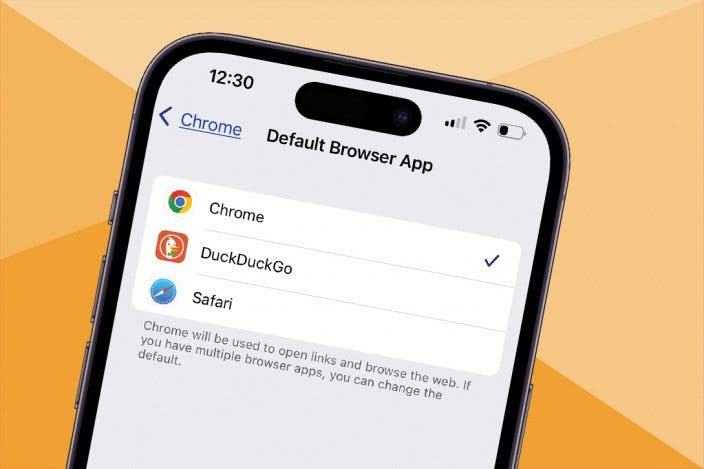
On Apple devices, Safari is the default browser. However, many people prefer to use other browsers, such as Chrome, instead of Safari. Fortunately, you can easily change the default web browser on your iPhone or iPad to your preferred one. Here's how to change the default browser on an iPhone.
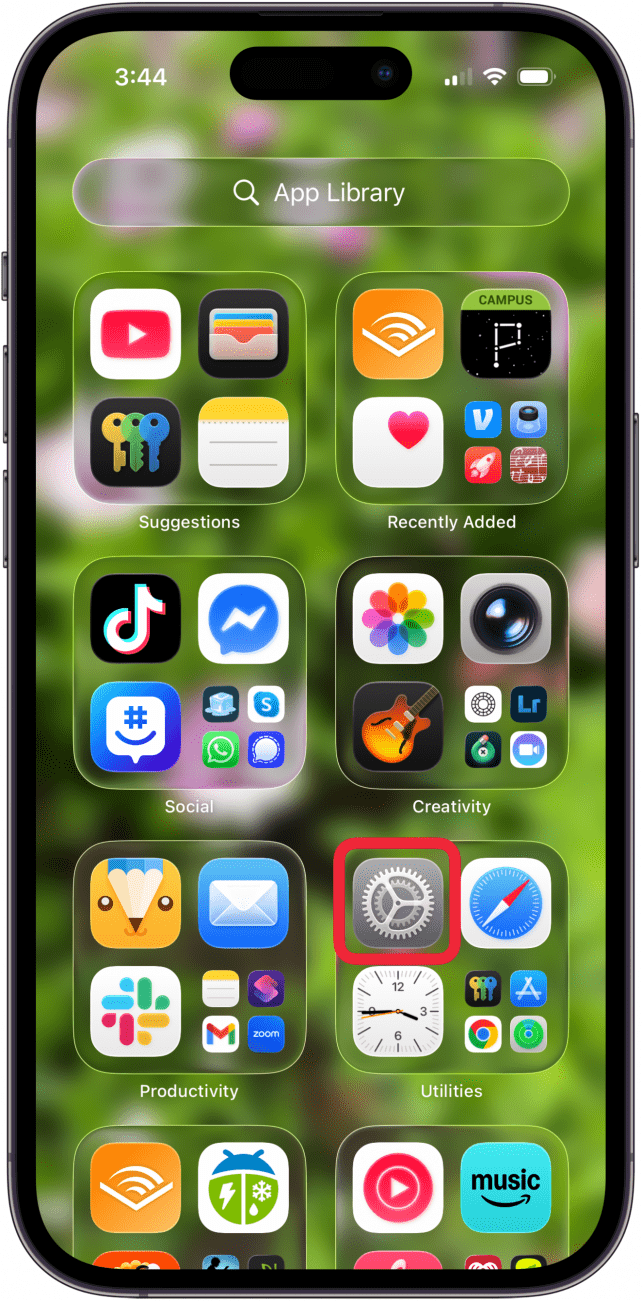
- Open the Settings app.
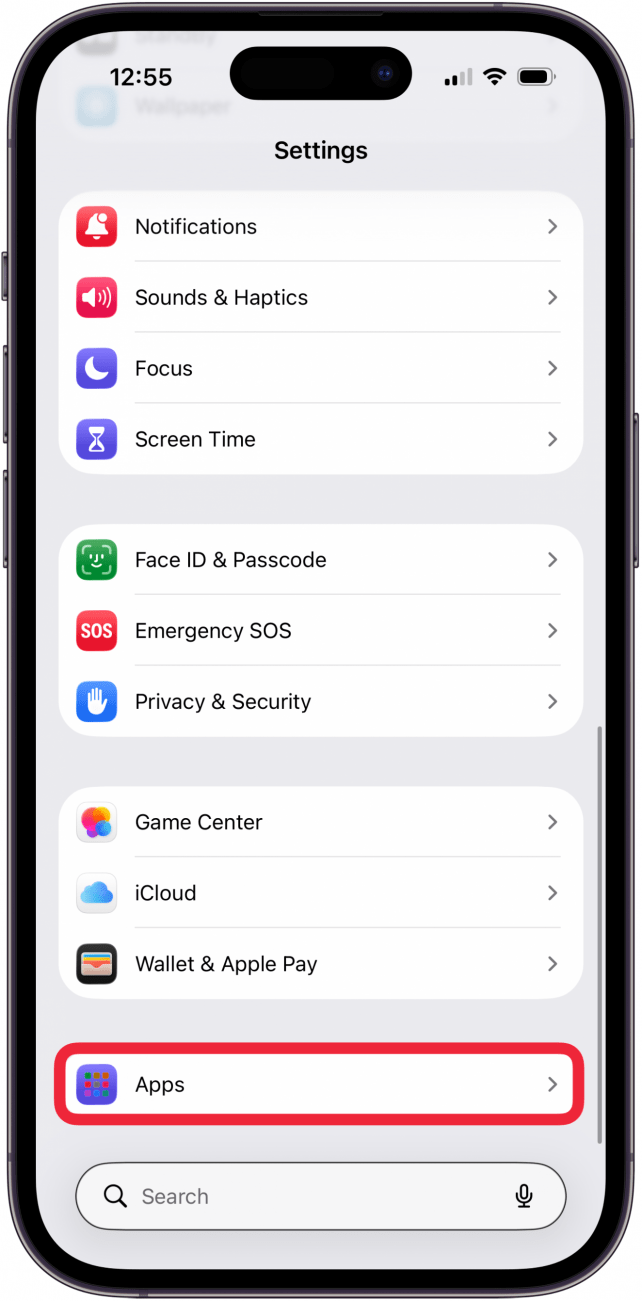
- Tap Apps.
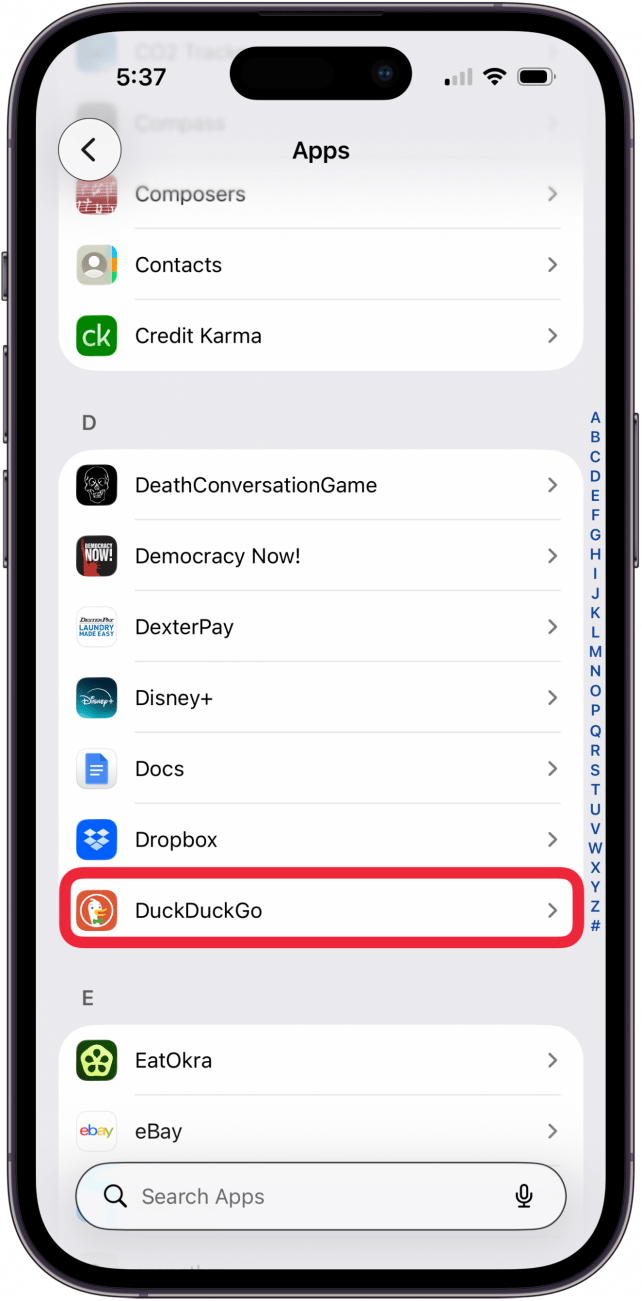
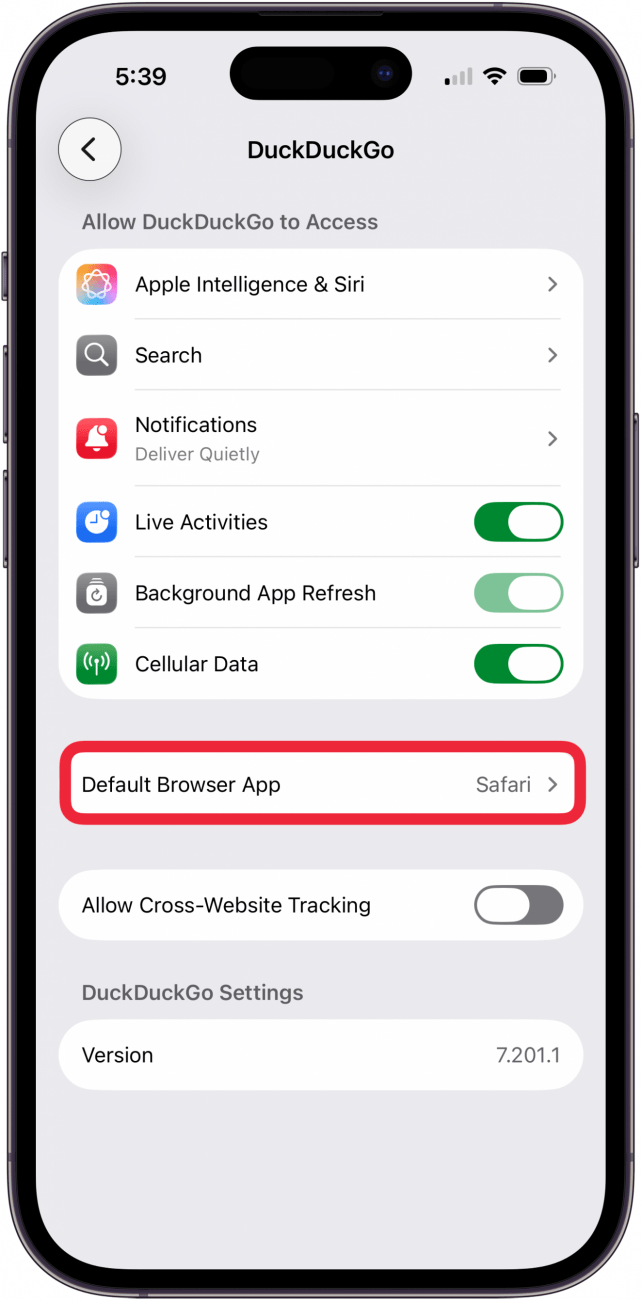
- Scroll down to the app list. Find your preferred browser, such as DuckDuckGo, and tap it.
- Tap Default Browser App.
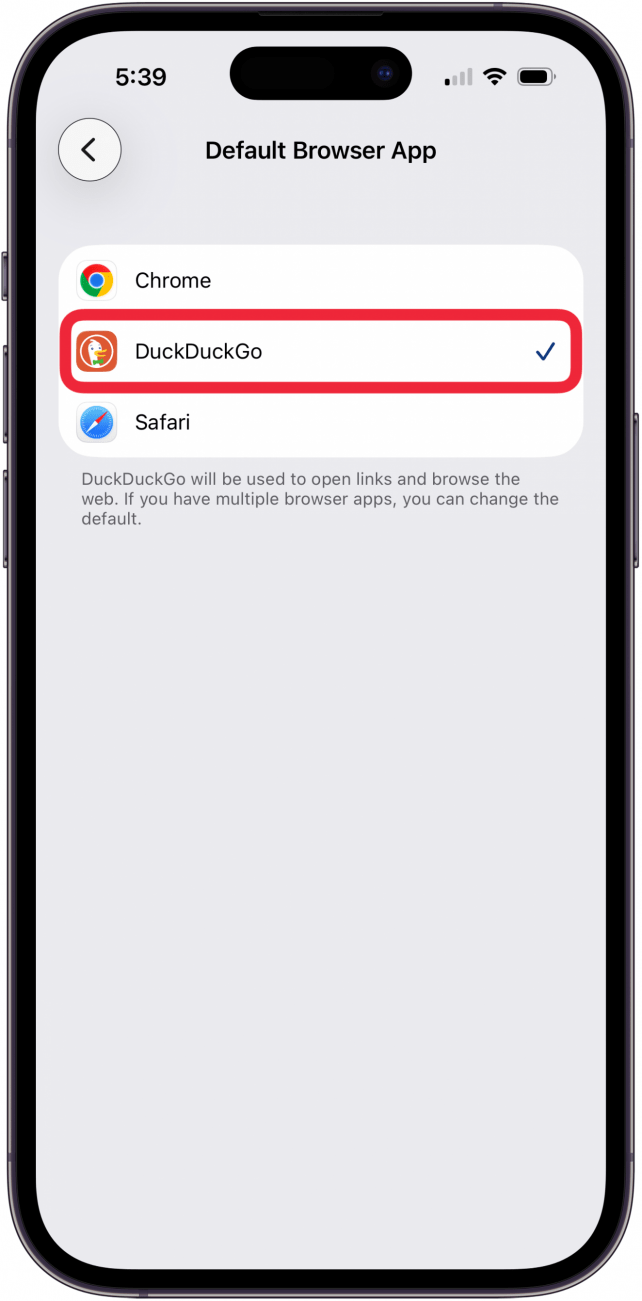
- Tap the browser you want to use as your default browser; you'll see a blue check mark next to it.
Now that you know how to change the default web browser on your iPhone, you can easily open links in your preferred web browser, whether it's Safari, Chrome, DuckDuckGo, Firefox, or another browser.
Having trouble deciding on the best web browser for iPhone? Read this Safari vs. Chrome article to see the pros and cons of each one. For more advice on customizing your iPhone, be sure to sign up for our free Tip of the Day newsletter.
FAQ
- How do I clear my Safari history on my iPhone? To clear your Safari history on an iPhone, tap the Bookmark icon, then the History tab, then choose which parts of your Safari history you want to delete.
- Can I customize Safari settings for individual websites? Yes, to customize settings for individual websites, you can go to the website you want to customize, tap the Aa icon, and tap Website Settings to customize.
- What do I do if Safari is not working on my iPhone? If Safari is not working on your iPhone, make sure you have a strong Wi-Fi or cellular connection, and make sure you don't have Screen Time limits on.

Hannah Nichols
Hannah Nichols is a freelance marketing consultant and writer. She is obsessed with audiobooks and podcasts and always asks people for recommendations. Hannah loves going to the gym and taking really long walks with friends. She enjoys traveling with her partner and her eight-year-old son.

 Ashleigh Page
 Leanne Hays
 Olena Kagui
 Rhett Intriago

 Michael Schill
 Rachel Needell